

The Attack Surface in Your Chat Window: How Ordinary Users Can Think About AI Security
Generative AI changes what a chat window can see, remember and do. A guided workday shows where ordinary choices—pasting a file, connecting email, trusting a link or sharing a draft—create security exposure, and how to respond without panic.
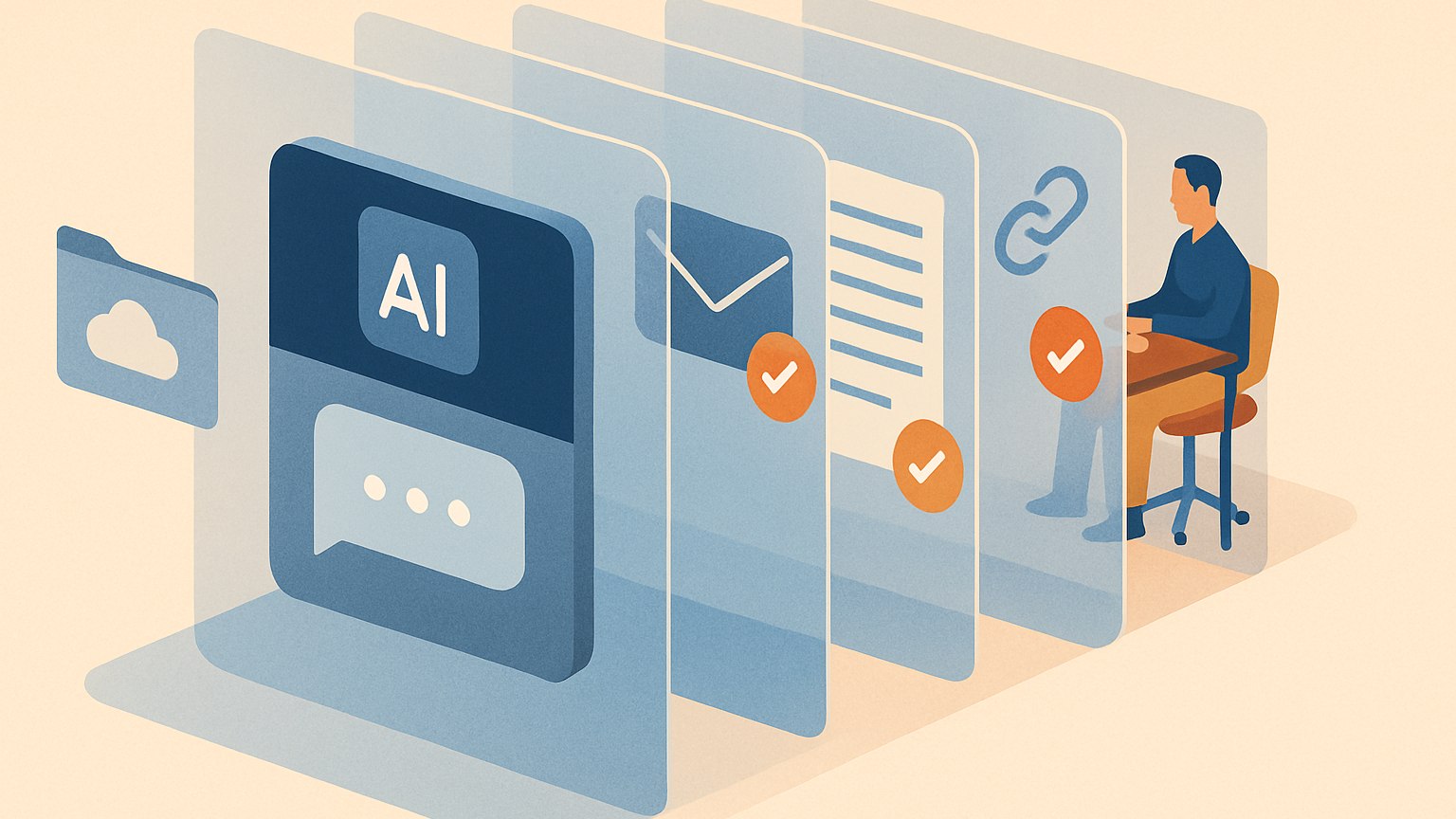
Hypothetical scenario: An employee opens an AI assistant to summarize a vendor contract, pastes names and pricing terms, later connects the assistant to cloud storage, and then receives a helpful-looking link. None of those steps needs to look like a conventional cyberattack for it to deserve a security pause.
The useful question is not simply whether a chat window is “dangerous.” It is: what information, authority, and trust are crossing this boundary?
NIST’s 2025 report provides a taxonomy and terminology for adversarial machine learning, organized around machine-learning methods, attack life-cycle stages, and attacker goals, capabilities, and knowledge. That framework can help distinguish different kinds of AI-security problems without requiring every user to treat every prompt as a trap. NIST’s taxonomy
Choosing the chat window is already a security decision
Before pasting material into an assistant, pause over the tool and account being used. As a practical rule, use the organization-approved service for work material when one exists, and follow the applicable workplace or client rules for sensitive information.
A useful question is: am I using an approved tool for this class of material? Approval should not become a reason to upload everything. Consider whether the task can be completed with less information.
Pasting context creates a privacy exposure
NIST identifies privacy breach as an adversarial-machine-learning keyword, while Microsoft describes prompt-injection scenarios in which manipulated systems can expose sensitive information. Those technical categories should not obscure a simpler user decision: voluntarily placing confidential material into a prompt is itself a disclosure choice. NIST Microsoft
The practical habit is context minimization: provide the smallest, least sensitive excerpt that can accomplish the task. Use placeholders for names or identifiers when they are unnecessary. Do not paste passwords, API keys, recovery codes, or other secrets for analysis.
Review generated material before sharing it. Treat a draft, summary, slide, or code snippet as a new artifact that may need editing and verification, rather than assuming it is merely a cleaned-up copy of the source material.
Connecting email or cloud storage expands what an assistant can reach
Microsoft’s prompt-injection guidance discusses AI systems that read websites, emails, documents, files, database records, or retrieval sources, and warns that imported content should be treated as potentially adversarial. Once an AI system can access connected data or tools, the security question becomes broader than what a person typed into the chat. Microsoft’s prompt-injection guidance
Use a least-access mindset: connect only the account, folder, repository, or workspace genuinely needed for the task; prefer access that does not enable unnecessary actions; and review connections when the work is complete. Microsoft recommends minimizing attack surface through constrained tool access, scoped identities, and explicit data boundaries. Microsoft’s recommended controls
A pause-before-you-connect test
- Purpose: What exact task requires the connection? Could a redacted excerpt be enough?
- Scope: Does the task require an entire drive or mailbox, or only a specific folder, account, or repository?
- Power: Is the assistant only reading information, or can it send, edit, publish, download, or delete?
- Provenance: Do you recognize the integration and the provider behind it?
- Policy: Is the connection appropriate under the rules governing the information involved?
- Exit: Do you know how to inspect or revoke the permission later?
These questions are a decision aid, not a guarantee. Microsoft’s guidance recommends designing for the possibility that prompt injection succeeds, rather than assuming a connected system will always reject hostile instructions. Microsoft’s recommended controls
A document can contain instructions for the AI, not just information for you
Hypothetical scenario: An employee asks an assistant to summarize a supplier PDF or inspect a webpage. The content includes hidden text telling the assistant to ignore its task or take another action. Microsoft describes indirect prompt injection as malicious instructions hidden in data that an AI consumes, including webpages, documents, emails, and database records. Microsoft’s explanation of indirect prompt injection
Microsoft also documents examples in which hidden instructions in a webpage or Word document manipulated an AI system with browsing or document-ingestion capabilities. Its guidance is to treat external and user-provided content as untrusted rather than authoritative. Microsoft’s examples and guidance
For users, the implication is straightforward: be more cautious when an assistant reads untrusted material and has access to sensitive data or consequential tools. If an AI proposes sending information, changing records, downloading a file, or taking another meaningful action, inspect the recipient, destination, attachment, permissions, and result before approving it.
Separate the risks instead of using one label for all of them
- Prompt injection: An attacker crafts input that causes a model to ignore original instructions or policies. In an indirect form, the attacker hides instructions in content the model consumes. Microsoft
- Data poisoning: NIST includes data poisoning in its adversarial-machine-learning taxonomy and keywords. NIST
- Privacy breach: NIST includes privacy breach among the security concepts addressed by its adversarial-machine-learning report. NIST
- Connected-tool misuse: Microsoft’s prompt-injection guidance addresses risks in which manipulated model behavior can affect downstream tools or expose sensitive information. Microsoft
For an ordinary user, this distinction is useful because the response differs by situation. A sensitive prompt calls for less disclosure; an untrusted document calls for caution about embedded instructions; and a connected system calls for narrow permissions and deliberate approval of actions.
An AI-generated link deserves ordinary security scrutiny
Use the same care with a link surfaced in an AI conversation that you would use with any unexpected route to a login page, download, payment request, or sensitive form. Check the destination before entering credentials or taking a consequential action. When possible, navigate through a known official bookmark or trusted internal portal instead.
This is advice, not a claim that every generated link is unsafe. It is a proportionate habit: fluent text should not replace independent verification when the next step could disclose information, install software, or authorize a meaningful change.
The proportionate response: cautious, not paranoid
Prompt injection remains an active security problem for systems that process untrusted content and take real-world actions. Anthropic states that browser agents can encounter malicious instructions in webpages and that no browser agent is immune to prompt injection; Microsoft likewise recommends layered defenses and constrained access rather than reliance on a single control. Anthropic Microsoft
Ordinary users do not need to become AI-security specialists. A durable approach is to match caution to capability: share less when data is sensitive, grant less when a connection is broad, and retain human review when an assistant can cause an external action.
The chat window can be a doorway to information, tools, and decisions. Thinking carefully about what crosses that doorway, what the assistant can reach, and what requires human approval is a practical AI-security skill.
Sources and references
More to read

The Case for the Unfilled Minute: What Productive Daydreaming Really Requires
A spare minute no longer has to remain spare: there is always a feed, a message, or a miniature task waiting …

Give Your Affirmations a Job: 5 Ways to Turn Positive Self-Talk Into Progress
An affirmation can be more than a reassuring sentence. These five step-by-step approaches connect identity, c…

After the Bleaching Map Turns Purple: Who Decides What Reef Recovery Looks Like?
When a satellite heat-stress map reaches its darkest colors, the emergency is only beginning. In the Florida …
Apps to use
Video Converter
Convert videos between popular formats directly in your browser — privately, locally, and without uploading y…
Frequency Matrix
Create your own soundscapes with custom frequencies, layered audio and a built-in timeline DAW. Generate, arr…
Namody
Turn names, words, numbers, and sentences into unique melodies.